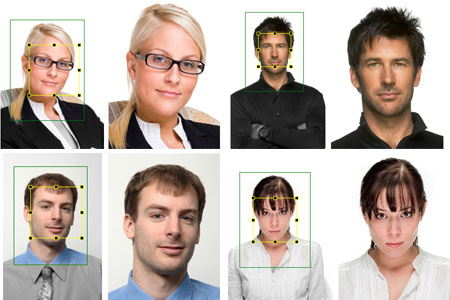
ID photo software
Сamera control software
ID card software
info@akond.net, akondsales@gmail.com
| 
| | |
ID Photo Processor
|
 |
ID Photo Processor:
Batch photo processing software
|
|
|
Windows 2000, XP, Vista, Windows 7 (32 and 64 bit), Windows 8, Windows 10
Price: 99 USD / 89 EURO.
 Buy Buy  Download Download
Interested to become a reseller? Questions?
Please contact info@akond.net, akondsales@gmail.com |
 ID Photo Processor
|
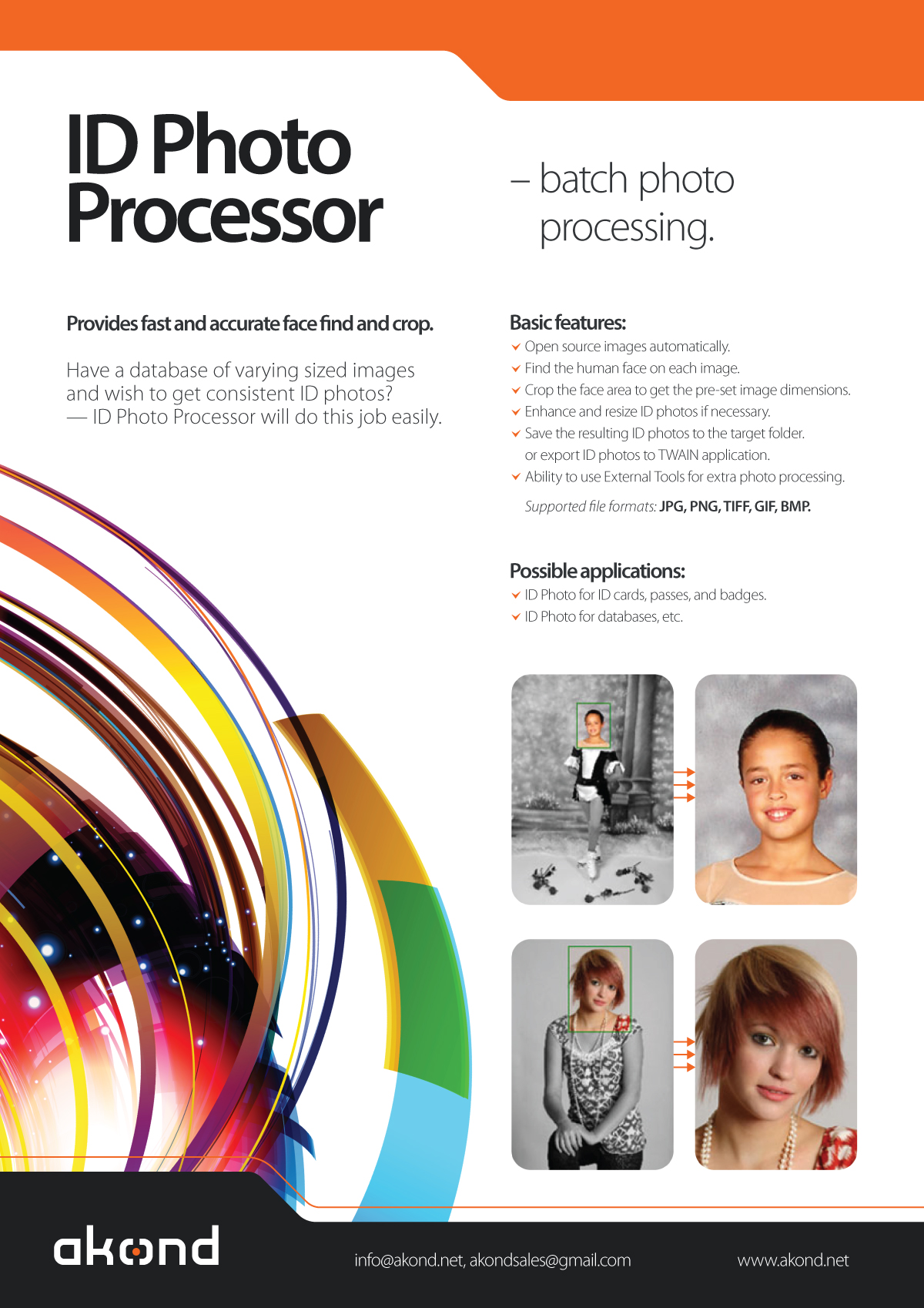
ID Photo Processor brochure
(jpg file, 800kb)
|
ID Photo Processor User Guide
(pdf file, 1,7Mb)
|
|
|
ID Photo Processor means fast and accurate batch photo processing. ID Photo Processor provides automatic face find on the source image, and face crop.
If you have numerous photos of different size and even different quality, and wish to get consistent ID photos quickly just use ID Photo Processor, and it will do this job easily. Hundreds of images processed in few minutes - this is realistic!
Run ID Photo Processor and it will do the following:
Open the source images from a selected folder,
Find the human face on each image,
Crop the face area according to the settings made
Save the resulting consistent ID photos to the target folder.
Once your run ID Photo Processor you will not need to guess how to use it: the software interface is very user-friendly.
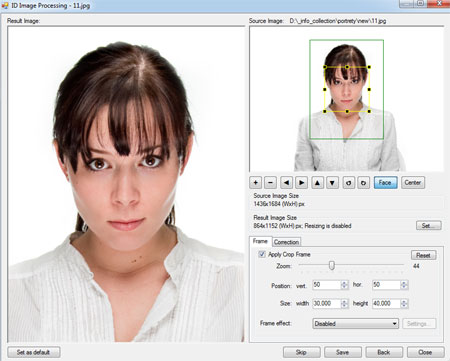
ID Photo Processor program window. |
ID Photo Processor features:
Image export to the applications supporting TWAIN. Time lapse capture option.
Save ID photo to file: the cropped photo is save to file on the computer disk. Time lapse capture option.
|
| 1. Automatic face detection, crop and enhancement. |
|
|
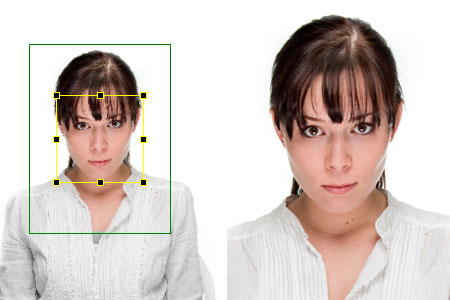
After the image is captured the face area is cropped.
Upon pressing the Capture to TWAIN button in the image preview window the Image Processing window will open. The Image Processing window provides an ability to crop the face area, and enhance the resulting image if necessary.
The face area is automatically outlined by the yellow frame. The green frame outlines the image area to be cropped. The yellow frame / green frame ratio and position are adjusted by Zoom, Vertical Position, and Horizontal Position controls. The Size control is used to set the resulting image size.
If the face is located too close to the image frame and the area to be cropped is cut by the image border, the frame color will change from green to red. In this case the user has three options: ignore, modify the image frame, or press Back button and return back to the image preview window.
The cropped image can be enhanced. It is possible to adjust image brightness, contrast, gamma, and sharpness using the corresponding controls in the right part of the Image Processing window.
It is also possible to resize the resulting image. Press Set button in the upper right part of the Image Processing window and set the resizing options (pixel size of the resulting image).
More about Face crop... |
2. Image export to the TWAIN applications.
ID Photo Processor can be used as ID photo module with all standard ID card software supporting TWAIN.
After the captured photo is automatically cropped in the Image Processing window it is automatically transferred to ID card management software supporting TWAIN (e.g. Incardex from Akond, ID Works and IDCentre from Datacard Group (USA), Asure ID from HID Global (USA), ID Flow from Jolly Technologies (USA), EPI Suite from ImageWare Systems (USA)) and inserted into the photo field. The exported photo is printed on a ready ID card or badge together with other personal information. |
3. Save ID photo to file.
|
|
|
To capture ID photos and save them to disk press Capture to file button.
The user can set up the folder to save image files. The Save file tab ( Options dialog box) is used to define the save to file settings. It is possible to select the folder to save images to upon pressing Capture to file button and create separate folders for the year / month / day.
Check Ask before saving, and you will be prompted to assign a name to the image file before saving to the specified folder.
|
4. Ability to work as TWAIN driver
If you use TWAIN compatible ID card software (e.g. Incardex, Asure ID, ID Works, EPISuite, ID Flow and others) you you can use inPhoto ID SLR as TWAIN driver and capture ID photos directly to your ID card software.
More about Work as TWAIN... |
5. Ability to work as Stand Alone application
ID Photo Processor can be used as stand alone application. If so the Capture to TWAIN option in the image preview section will be disabled.To capture images and save them to disk press Capture to file button.
Working in stand alone mode you can use all inPhoto ID PS functions (live image preview, camera settings control, automatic face detection and crop, image capture and save, etc.) You can set up the folder on your PC to automatically save all captured ID photos.
|
6. User profiles
Once you select the best camera settings for your specific applications you can save these settings to a profile and use them easily later on without spending time on camera settings adjustment. Moreover, not only camera settings are saved to a profile. You can also save the image processing parameters, folder to save photos, image resolution and size settings. The system Admin can block the profile, and the users will not be able to change it, they will only be able to use it.
The Profile button is located in the software main window in its right part on the Control Panel. Click on the Profile button to get a list of all profiles available, and select the profile required. You will need just two mouse clicks to apply the necessary profile.
The last profile used is remembered and loaded automatically when the software is started next time. If you are not planning to use profiles you can remove the Profile button from the Control Panel. The Profiles created are saved in the separate files and can be copied or backed up.
|
|
| | |
|
|